Your website, built from your inventory.
GARAGEBIRDS Pro gives your dealership its own website at yourname.garagebirdsites.com, built from the cars you already keep in GARAGEBIRDS. Every car gets its own page with its photos and asking price, the site updates itself when your inventory changes, and every question a shopper sends lands in your leads.
Pick a template and a theme, add your logo, hours and a banner photo, preview it, and go live. No web designer, no setup fee, no contract, and nothing to retype: price a car in GARAGEBIRDS and it’s on your site within minutes.
At a glance
| GARAGEBIRDS dealer website | |
|---|---|
| What it is | A public website for your dealership, built from your inventory, contact details and hours in GARAGEBIRDS |
| Address | yourname.garagebirdsites.com, with a secure https connection from the first minute |
| Pages | Home, Inventory with search and filters, a page for every car, Financing, Sell or trade, About & contact, and your privacy policy, terms and accessibility statement |
| Look | 5 templates with 5 themes each, your brand color, a heading font, your logo and a banner photo |
| Updates | Automatic: a new car, a price change or a sale shows on the site within minutes |
| Enquiries | Five forms, each one a lead in GARAGEBIRDS with the car it’s about; every admin is told by email and in the app |
| Built for | Phones first, WCAG 2.2 AA, search engines, and no cookies |
| Plan | GARAGEBIRDS Pro: $49 a month billed yearly ($588 a year), or $59 billed monthly; 14-day Pro trial with no card, started by an admin from Billing |

Your cars, live, with nothing to retype
The website is your inventory. A car goes on it when it has an asking price and a photo, and comes off when you say so. Change the price, swap the photos or sell the car in GARAGEBIRDS and the site follows within minutes, usually a minute or two. There’s no feed to set up and no second place to keep up to date.
- A page for every car, with its year, make, model and trim, the asking price, mileage, VIN and stock number, the specifications from the VIN decode, its color, your description, and the photos in the order you chose.
- Clean addresses shoppers can share, such as /inventory/used-2025-kia-sorento-sx- and the VIN. Correct a trim later and the old address forwards to the new one, so links in texts and marketplace listings keep working.
- Search and filters on the inventory page: make, model, year, price, mileage, body type and color, sorted by price, mileage, year or newest.
- Every price shown in full. A car goes on the site with its asking price, so shoppers never see “Call for price”.
- Sold cars come down on their own: right away, or after 7 or 14 days, your choice.
Only what a shopper should see is published: the car, its price, its photos and your dealership’s public details. What you paid, your costs, your profit, your customers and your deals stay in GARAGEBIRDS, the same as with the Posting Assistant.
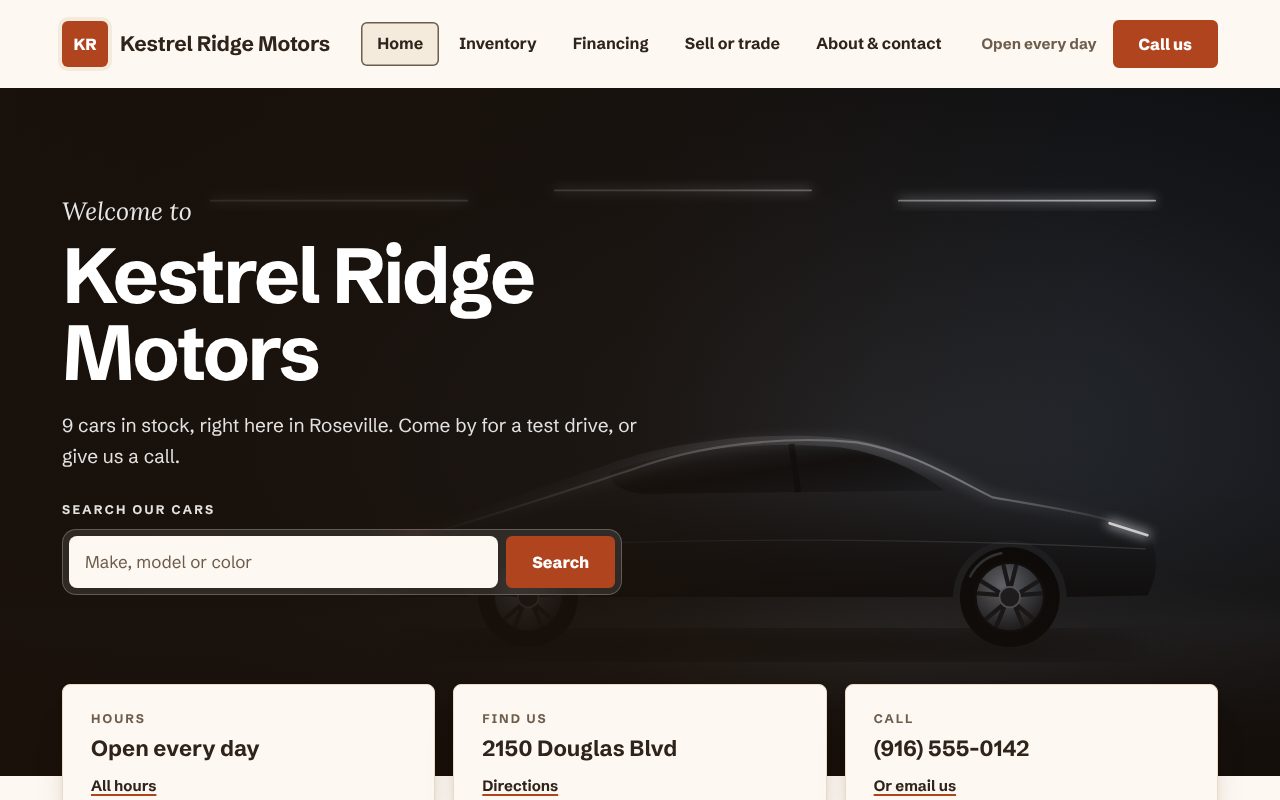
It looks like your lot, not like every other lot
Choose the template that fits how you sell, then one of its five themes. Change either one any time, and the preview shows every change before shoppers see it.
- Standard: a header, a banner, a grid of cars, car pages and About. Fits any dealership.
- Showroom: big photos, serif headings and lots of space, for boutique, luxury and EV dealers.
- Lot: price first, filters on the side and dense rows, for busy lots with lots of stock.
- Hometown: warm and local, with your hours and directions up front, for family-run and neighborhood dealers.
- Trailhead: bold condensed type, specs first and a dark header, for truck, 4x4 and SUV dealers.
Then make it yours: your brand color (the picker only offers colors that stay readable), a sans serif or serif heading font, your logo and a banner photo. Add a few lines about your dealership in your own words, tick what you offer and the promises you make to buyers, and link your social profiles. Every font is hosted with the site, so the pages ask no font service for anything.
Every enquiry lands in your leads
A website earns its keep when shoppers get in touch. Each of its five forms asks only what it needs, and each one arrives in GARAGEBIRDS as a lead, marked as from your website, with the form and the car it’s about:
- Ask about this car, on every car’s page.
- Schedule a test drive, on every car’s page.
- Talk to us about financing, on Financing.
- Sell or trade your car: the year, make, model, mileage and condition.
- Contact, on About & contact.
The lead is matched to the shopper’s contact if you already have one, by phone or email, or a new contact is made. Every admin is told at once, by email and in the app, so the first person free can answer it. The financing form takes contact details and the shopper’s question; you send the credit application to your lender the way you do now, and work the numbers in finance desking. If you text your leads, every form gets an unticked box for the shopper to agree to texts about their enquiry, and the lead shows whether they ticked it.
Spam is filtered before it reaches you: the forms check for bots with Cloudflare Turnstile, along with rate and size limits.
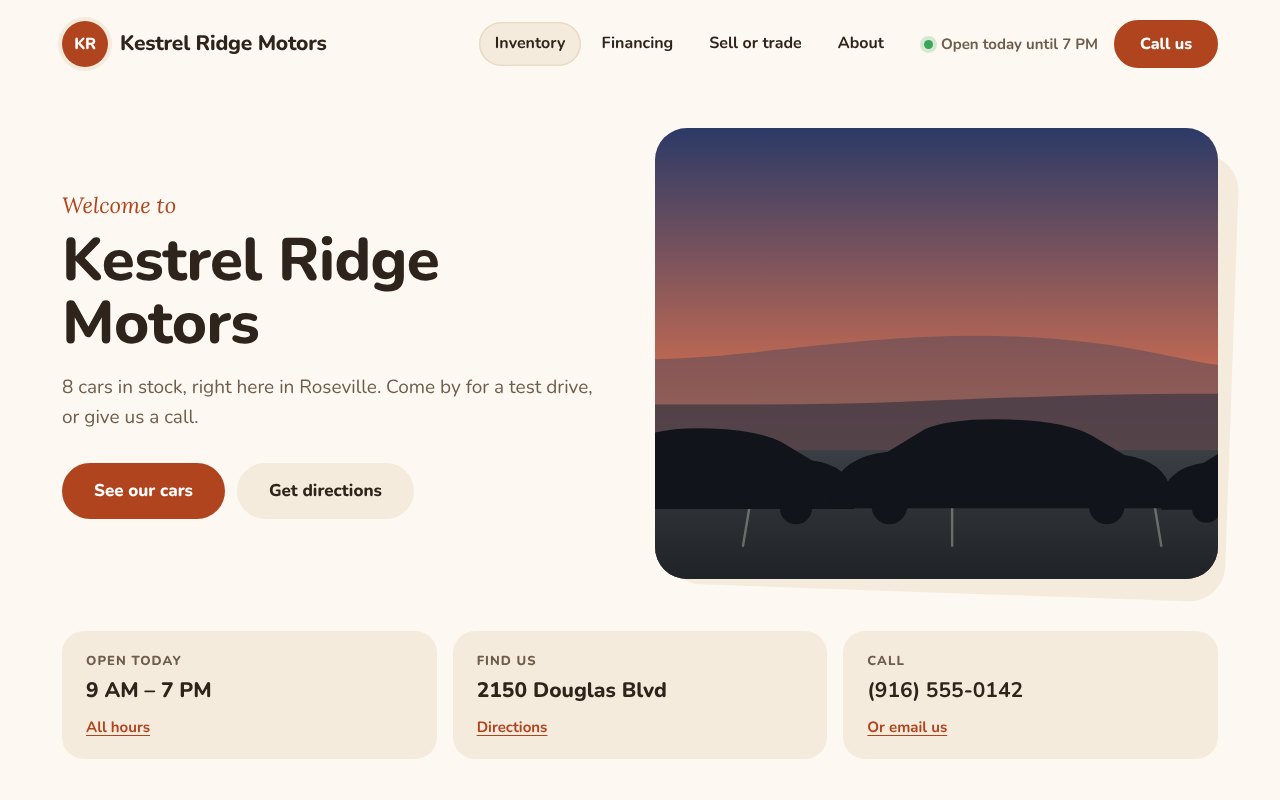
Fast on a phone, readable by everyone, easy to find
Most shoppers find a car on their phone, so every template is built for one first.
- Fast pages. Your site’s pages are built ahead of time and served from a network close to the shopper, so a car’s page opens quickly and stays up even when traffic spikes.
- Built to WCAG 2.2 AA. Every template, in every theme, is checked with automated accessibility tests and by hand with the VoiceOver and NVDA screen readers. Every filter and form works from the keyboard, and each photo has a text description written from the car, such as “2018 Honda Civic EX, Modern Steel, photo 3 of 24”. Your site carries an accessibility statement, and there’s no overlay widget.
- Ready for search. Each car’s page carries structured data for the car and its price, the site carries your dealership’s address and hours the same way, and a sitemap tells search engines what changed.
No cookies, and a privacy policy to start from
Your site sets no cookies and loads no trackers, ad pixels, chat widgets or outside fonts, so it needs no cookie banner. The one outside service is the forms’ spam check, Cloudflare Turnstile, which sees a shopper’s IP address and browser, never what they type.
Your privacy policy and terms of use are yours. GARAGEBIRDS gives you a starting draft from a few questions, such as whether you text leads and who you share an enquiry with, and you can edit any of it or paste in your own. A short “How this website works” section under each, about what the site itself does, stays ours and stays accurate. The draft isn’t reviewed by lawyers or legal advice, so what your pages say is yours to check. An admin confirms they’re yours before the site goes live. If you finance, you can link your own financing privacy notice from the Financing page.
From sign-up to live in an afternoon
- Pick your address. Open Website in GARAGEBIRDS and choose the name in your site’s address; GARAGEBIRDS suggests one from your dealership’s name. Your site is created offline, where only your team can see it.
- Make it look like you. A template, a theme, your color, logo, banner photo and hours, with a preview of every page as you go.
- Confirm your privacy policy and terms. Answer a few questions, then read the draft, change what you want and confirm it’s yours.
- Go live. Your pages build in a minute or two. From then on, saving a change updates the live site.
Your cars are already there: every car with an asking price and a photo is on the site from the start.
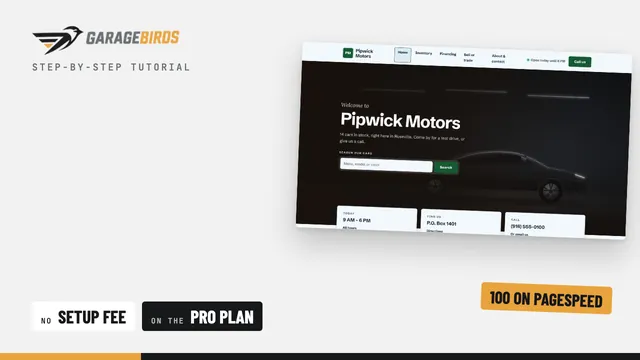 How to get a car dealer website built from your inventoryPick a template and a theme, add your hours, confirm your privacy policy and go live, with your cars already on it. Then a shopper’s question lands in your leads, and the site is tested on PageSpeed Insights.
Included in Pro, with no setup fee
The website is part of GARAGEBIRDS Pro: $49 a month billed yearly ($588 a year), or $59 billed monthly, with no contract and no setup fee. Elsewhere a dealer website is usually a bill of its own: DealerCenter’s Premium Website is $99 a month on top of its DMS, Wayne Reaves’ websites start from $79 a month (Website Starter, up to 10 vehicles), and AutoManager sells a dealer website with export to 250-plus marketplaces, from $70 a month. Pro includes the website along with finance desking, Smart Print Forms, the Posting Assistant, leads, consignment and private-party purchases.
On the 14-day Pro trial an admin can build and preview the whole site; going live comes with a paid Pro plan. Everything the site is built from, your inventory, photos and asking prices, is on the free plan, with no cap on the number of cars.
Questions
Does GARAGEBIRDS include a dealer website?
Yes. GARAGEBIRDS Pro includes a public website for your dealership at yourname.garagebirdsites.com, built from your inventory in GARAGEBIRDS, with a page for every car and every enquiry in your leads. There is no setup fee and no extra monthly charge.
How much does a car dealer website cost with GARAGEBIRDS?
It comes with GARAGEBIRDS Pro, $49 a month billed yearly ($588 a year), or $59 billed monthly, which also includes finance desking, Smart Print Forms, the Posting Assistant, leads, consignment and private-party purchases. An admin can try Pro free for 14 days from Billing in the app, with no card, and build the whole site on the trial.
Do I have to update the website when I sell a car or change a price?
No. The site is built from your inventory in GARAGEBIRDS, so a new car, a price change, new photos or a sale shows on the site within minutes, without a separate step.
Can I change how the website looks?
Yes, any time, yourself. Pick one of five templates and one of its five themes, then your brand color, heading font, logo and banner photo. A preview shows each change before shoppers see it, and saving updates the live site within minutes. There’s no ticket and no change fee.
Where do website enquiries go?
Into your leads in GARAGEBIRDS. Each enquiry is a lead marked as from your website, with the form and the car it’s about, matched to the shopper’s contact or saved as a new one, and every admin is told by email and in the app.
What address does my website have?
Your site lives at a name you choose on garagebirdsites.com, such as sunset-motors.garagebirdsites.com, with a secure https connection from the first minute. If you change the name later, the old address forwards to the new one. If you already own a domain, your domain registrar can forward it to your site’s address.
Is the website accessible?
Every template is built to WCAG 2.2 AA and checked with automated tests and by hand with the VoiceOver and NVDA screen readers. Each site publishes an accessibility statement, and shoppers can report a barrier through the contact form.
Do I have to use your privacy policy and terms?
No, they’re yours. GARAGEBIRDS writes a starting draft from a few questions, and you can edit any of it or paste in the privacy policy and terms you already use. Once you’ve edited them, we never change your text, and you can start again from our draft at any time. A short “How this website works” section under each, about what the site itself does, stays ours. The draft isn’t reviewed by lawyers, so what your pages say is yours to check.
Can shoppers apply for credit on my website?
Shoppers send their contact details and a question through the financing form, and it reaches you as a lead. You send the credit application to your lender the way you do now; the deal structure and the payment are worked out in GARAGEBIRDS’ finance desking.
Does my website show GARAGEBIRDS branding?
A small “Powered by GARAGEBIRDS” link sits in the footer. Everything else carries your dealership’s name, logo and colors.
What happens to my website if I stop Pro?
The site goes offline and stops being indexed, and your settings are kept, so returning to Pro brings it back as it was. Leads you’ve already received stay in GARAGEBIRDS.
Put your lot online this week
Start free with your inventory; the website is on Pro whenever you’re ready.