GARAGEBIRDS how-to videos
Short walkthroughs, one task each, recorded in a demo dealership so you can see exactly where to click. They play on YouTube, and each one links to the guide behind it here.
How to get a car dealer website built from your inventory
A dealer website, from the first click to live. Choose the site’s address, a template and a theme, add the dealership’s hours and a few lines about it, and the cars with an asking price and a photo are already on it. Read the draft privacy policy and terms, change a line, confirm them and go live; the pages build in a minute or two. Then the live site on a computer and on a phone, a shopper’s question from a car’s page arriving in GARAGEBIRDS as a lead and a contact, and the site tested with the Schema Markup Validator, Google’s PageSpeed Insights and the Rich Results Test. The demo site’s home page scored 100 on mobile and on desktop the day it was recorded.
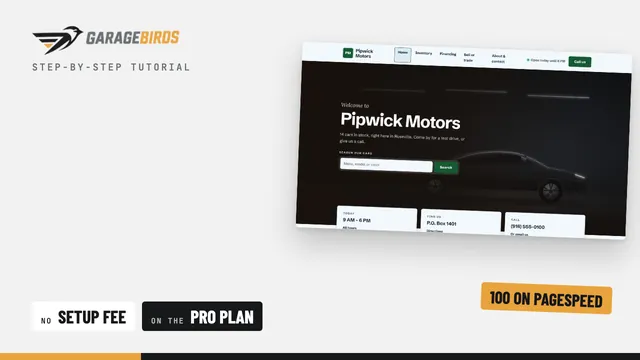 How to get a car dealer website built from your inventoryPick a template and a theme, add your hours, confirm your privacy policy and go live, with your cars already on it. Then a shopper’s question lands in your leads, and the site is tested on PageSpeed Insights.
Templates, forms and setup, with screenshots: the dealer website in GARAGEBIRDS, on Pro. Where its enquiries go: leads and contacts.
How to sell a car on consignment and work out the owner’s payout
A truck taken in on consignment, start to finish. Decode the VIN, add the owner from the title and the loan with its payoff, set the asking price, the owner’s minimum and your 10% cut, and agree a $500 cost allowance. Print the terms, upload the signed pages and sign it off, and the truck is in inventory marked On consignment. Detailing and new tires go on it, the tires after the owner’s OK by phone; it sells for $20,000 through an ordinary deal, and the payout works out to $9,250, approved and printed as a statement the owner can follow.
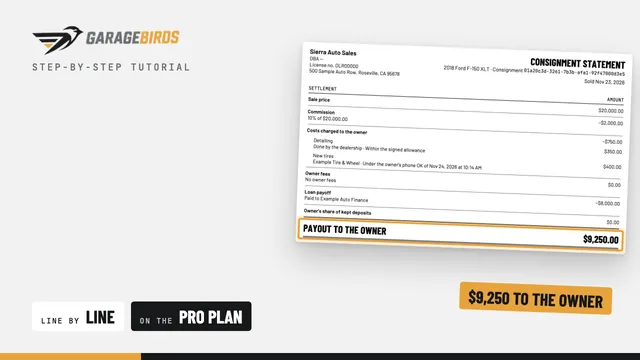 How to sell a car on consignment and work out the owner’s payoutTake a truck in on consignment, set the price and your cut, agree what the owner pays for, sign, sell it through a deal, and approve $9,250 to the owner with a statement they can follow.
How each step works, with screenshots: consignment in GARAGEBIRDS, on Pro. The money, worked through in writing: selling cars on consignment, and to run your own numbers, the consignment payout calculator.
How to make your own dealer forms fill themselves in
Upload your blank buyer’s order once: a PDF works best, and a scan or a phone photo works too. Search for a value, like the buyer’s full legal name, drop it on its line and stretch the box to fit, then work down the form against a real deal’s values. Anything GARAGEBIRDS doesn’t hold becomes a custom field your team types on the deal. Publish, preview it with a deal and activate it, and from then on it’s on every deal’s Documents tab, filled in, next to your state’s forms.
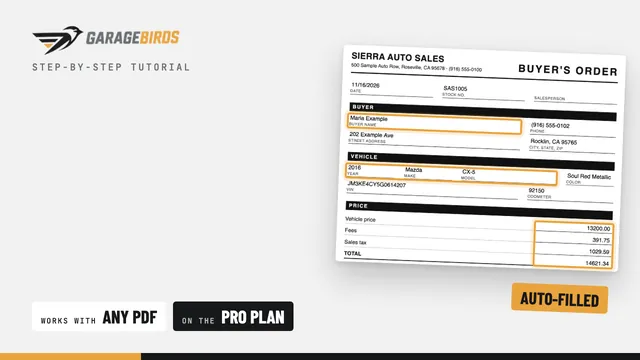 How to make your own dealer forms fill themselves inUpload your blank buyer’s order once, put each value on its line, check it against a real deal and activate it. Then it’s on every deal, filled in, next to your state’s forms.
Which documents you can set up and what fills in: Smart Print Forms, on Pro. The same steps in writing: how to set up your buyer’s order so it fills itself in.
How to list a car on Facebook Marketplace and Craigslist in seconds
Press Post on the car and the Posting Assistant opens it beside the page. It checks the car has everything Facebook asks for, then fills Facebook Marketplace’s own vehicle form: year, make, model, mileage, colors, the price, the description and your photos, cover photo first. In the video that takes under ten seconds; Craigslist’s form fills in under one. You check what it flags and press Publish yourself, on your own account, and every listing stays tracked on the car.
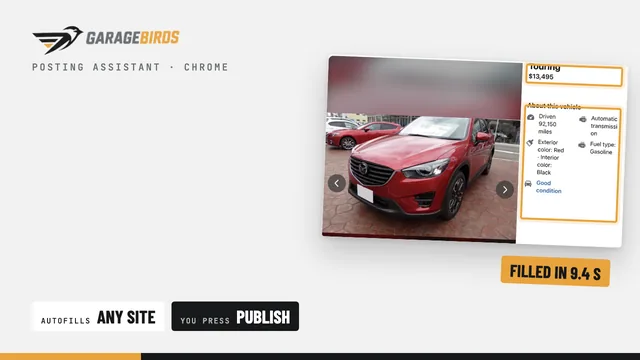 How to list a car on Facebook Marketplace and Craigslist in secondsPress Post on the car, hand it over, and watch Facebook Marketplace’s vehicle form fill in about ten seconds, then Craigslist’s in under one. You check it and press Publish.
Every marketplace it fills and how it works: the Posting Assistant. For what makes a Facebook listing sell, see selling on Facebook Marketplace as a dealer.
How to auto-fill your state’s dealer paperwork from a deal
Open a deal, go to its Documents tab and tick the forms the sale needs: your state’s bill of sale, the title application and the FTC Buyers Guide. They fill in from the deal, with the buyer, the car, the sale date and the price, and you check each one in the preview before you print. The demo dealership is in California, and it works the same way in every state. At the end there’s a quick look at adding your own buyer’s order or contract with Smart Print Forms.
 How to auto-fill your state's dealer paperwork from a dealOpen the deal, tick your state's forms, check the preview and print, all filled in from the deal. Plus a quick look at adding your own contract.
Every state’s built-in forms are on the Free plan: state DMV forms in GARAGEBIRDS. For what each form is for in your state, see paperwork by state, and for your own documents, Smart Print Forms.
What did that car really cost you?
A car bought for $10,200 that really cost $12,688. The video sets up the costs you pay on every car once, as a list, so each new car starts with them, then adds the auction fee, recon and floor plan interest as the bills come in, and shows the car’s real total.
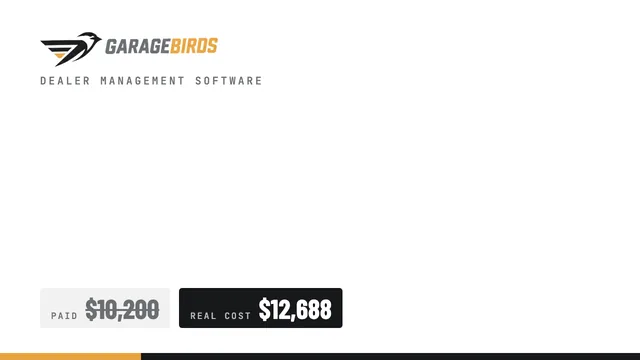 What did that car really cost you?Set up the costs every car carries once, add the auction fee, recon and floor plan interest as they come in, and see the car’s real total.
What belongs in a car’s cost, with a worked example: how to know your true profit per vehicle. To run one car’s numbers now, try the true profit calculator or the floor plan interest calculator.
New videos go up on our YouTube channel first.
Try it on your next deal
State forms and cost tracking are on the Free plan, no credit card.